






Create Another Hing Swipe App Account Easily — Stay Private, Explore More, Start Fresh
Dating apps are fun… until you want to start again, explore more matches, or simply keep things separate. If you’ve ever wondered how to make a second Hing Swipe App account without the usual headaches, good news: it’s way simpler than it sounds.
Whether you were banned, want a new vibe, or just love experimenting with different prompts and profiles, having Hing Swipe App multiple accounts is surprisingly common. And the best part? You can do it without linking your personal number — thanks to virtual numbers from Grizzly SMS. Cheap, secure, and available from anywhere, they make setting up Hing Swipe App alt accounts fast and painless.
Why People Create a Second Hing Swipe App Account
Let’s be honest — sometimes the easiest way to solve a problem is to start fresh.
There are many reasons why users decide to create another Hing Swipe App account:
- You want to reset your matches and prompts.
- You got a new phone or device.
- You were banned and need a Hing Swipe App new account after ban.
- You’d like to explore Hing Swipe App multiple profiles at once.
- You simply prefer to keep your dating experiences separate.
Whatever your reason, Hing Swipe App second account setups are becoming more common — and smarter.
How to Make a Second Hing Swipe App Account
Here’s the neat part: Hing Swipe App doesn’t strictly forbid multiple accounts. It just ties your profile to your phone number. That means the real trick is not the app — it’s how you register.
To Hing Swipe App two accounts same phone is tricky, because one number usually supports only one active profile. But if you use a virtual number, you can set up Hing Swipe App multiple accounts smoothly, without deleting your original one.
Here’s what most people do:
- Use a different number (virtual works best).
- Set up a new email.
- Install the app on another device or log out from the old one.
- Fill out fresh prompts and photos.
- Enjoy exploring new matches.
Why Virtual Numbers Make a Difference
You don’t need to be a tech wizard to figure this out. Using a temp number is a simple hack that gives you:
- Full anonymity — your real number stays private.
- Clean registration — no conflicts with old accounts.
- Instant activation — no waiting around.
- Global coverage — works in multiple countries.
- Easy management — perfect if you want Hing Swipe App multiple profiles.
That’s where Grizzly SMS steps in. It’s one of those small hacks that can save a lot of time. With their virtual numbers, you can create new accounts for hundreds of services — including Hing Swipe App — in just a couple of minutes.
Step-by-Step: How to Register on Hing Swipe App with Grizzly SMS
Now that you’ve got the idea, let’s make it practical.
Setting up your Hing Swipe App new account same phone number (or rather, with a new virtual one) only takes a few minutes:
- Sign up at Grizzly SMS.
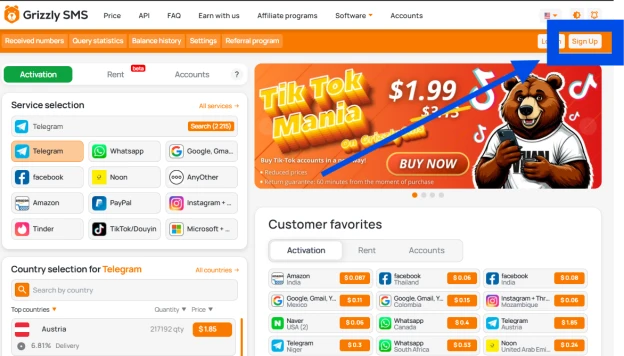
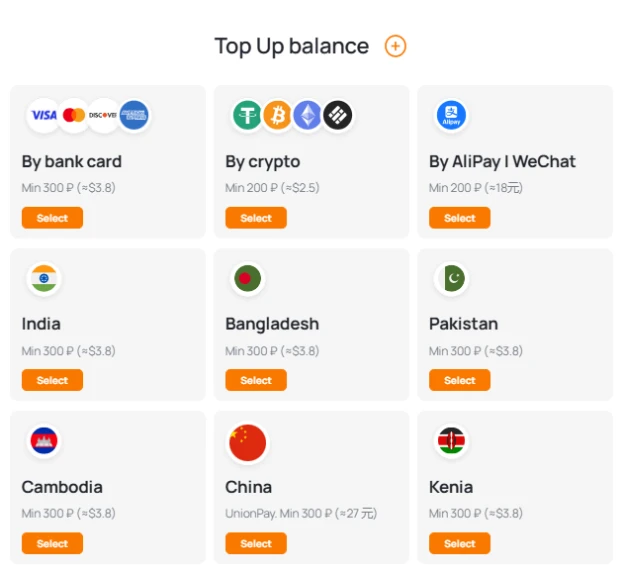
- Top up your balance using any convenient payment method.
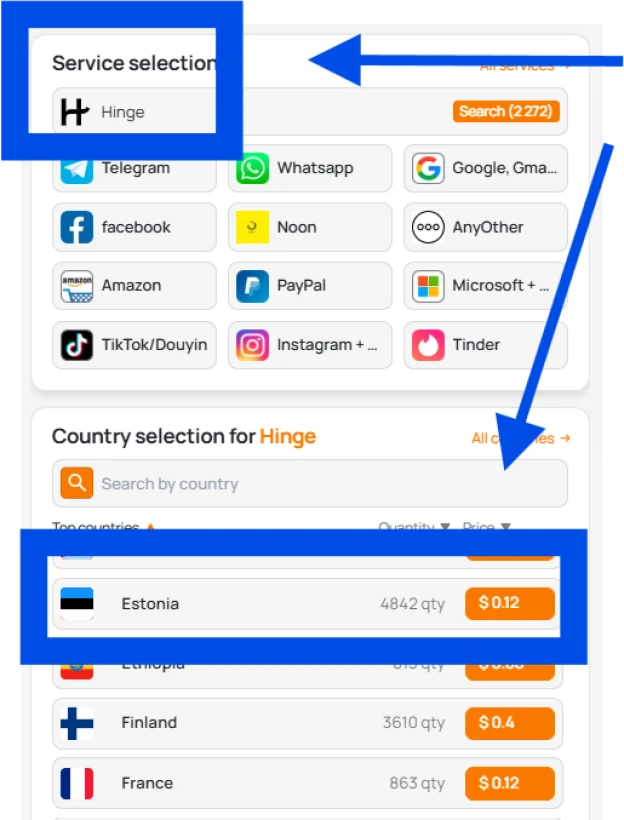
- Choose Hing Swipe App and select your preferred country.
- Get your virtual number and copy it.
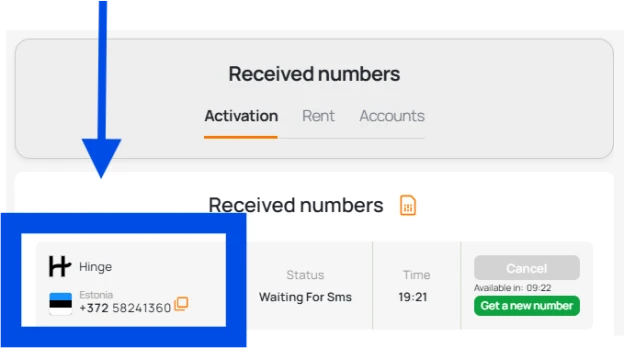
- Enter it when registering in the Hing Swipe App app.
- Receive your code in your Grizzly SMS dashboard.
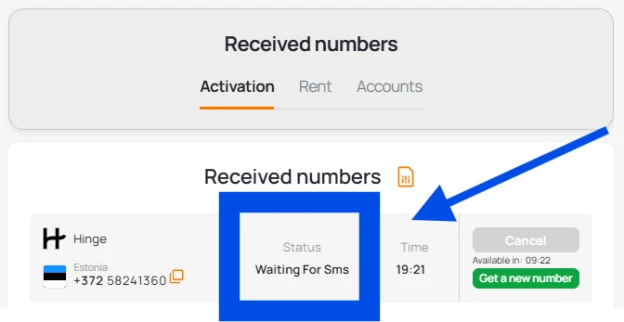
That’s it — no SIM cards, no complicated steps, no stress.
Top Reasons to Use a Temp Virtual Number for Hing Swipe App
A temporary number isn’t just a workaround — it’s a smart privacy move. Here’s why many users prefer it:
- Instant number activation and delivery.
- No need to buy a SIM card or install extra apps.
- Works with most major online platforms.
- Pay only for what you use.
- Complete anonymity.
- Clean and simple interface.
- Access from anywhere in the world.