









UberEats: 2025 Verification System Update
In 2025, UberEats updated its user verification system, implementing new identity confirmation methods and enhanced security measures. These changes aim to improve service quality and food delivery safety.
Why the New Verification Rules Are Important
UberEats improved the verification system to address the following tasks:
-
Increasing delivery security
-
Preventing fraud
-
Improving delivery accuracy
-
Optimizing courier operations
Success Story: Restaurant Partner
The FoodMaster restaurant chain with 20 locations joined UberEats to expand delivery. Thanks to modern verification methods, they were able to:
-
Increase the number of orders
-
Improve service quality
-
Optimize the delivery process
Step-by-Step Verification Guide
1. Preparation for Verification
-
Update the UberEats app
-
Prepare documents
-
Verify the delivery address
2. Verification Process
-
Open account settings
-
Select "Verification"
-
Fill in personal data
-
Follow on-screen instructions
3. Number Confirmation
-
Enter phone number
-
Receive SMS with code
-
Confirm number in the app
Solution with GrizzlySMS
Create a virtual Google account for UberEats via GrizzlySMS:
-
Instant Gmail Registration
Quick creation of email accounts for verification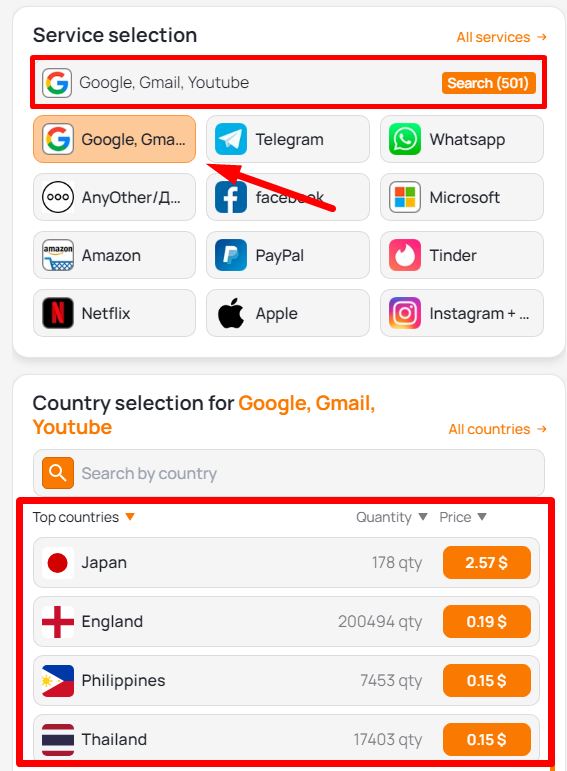
-
Support for All Regions
Works with any version of UberEats -
Automatic Verification
Confirmation codes arrive directly in the service -
Personal Data Protection
Your real contacts remain hidden
Regional Features
Europe
-
Expanded restaurant selection
-
Special promotions for EU
-
Integration with Uber
America
-
Eats Pass program
-
Rating system
-
Special offers
Asia
-
Local cuisines
-
Regional specifics
-
Unique delivery conditions
Technical Aspects
System Requirements
-
iOS 14.0 or Android 9.0 and higher
-
GPS module
-
Stable internet connection
-
200 MB free space
Security Protocols
-
Two-factor authentication
-
Payment data protection
-
Order tracking
-
Anti-fraud system
Solving Common Issues
Problem: Geolocation Error
Solution:
-
Enable GPS
-
Check app permissions
-
Update delivery address
Problem: Payment Issues
Solution:
-
Check card balance
-
Update payment details
-
Use alternative method
Practical Tips
-
Specify exact address
-
Verify order contents
-
Track delivery status
-
Use promo codes
-
Leave feedback
Conclusion
The updated UberEats verification system in 2025 ensures maximum security and convenience for all food delivery service users. Use GrizzlySMS services for quick and reliable account verification. Start ordering your favorite dishes with delivery today!