







Amazon OTP Not Arriving? Protect Access to Your Shopping Account and Seller Central
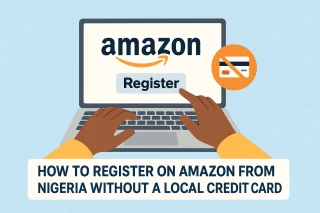
A missing Amazon code can involve registration, passwordless sign-in, or Two-Step Verification. Identify the challenge before choosing a solution, check the registered destination, and use the recovery route appropriate to your account. This guide covers Amazon.com in the United States; Seller Central access procedures may differ.
Start by identifying which Amazon code is missing
When an Amazon OTP is not arriving, the first useful question is what the code is supposed to do. Are you verifying contact details while creating an account, signing into an existing shopping account without a password, or completing Two-Step Verification after another sign-in step? These situations can look similar, but they do not necessarily offer the same alternatives.
An OTP is a one-time password or security code. Two-Step Verification, also called 2SV, is an additional security check. Receiving a code during sign-in does not, by itself, tell you whether you are using passwordless access or completing a separate verification challenge. Read the screen heading and available options before choosing a troubleshooting route.
This guide concerns Amazon.com in the United States. Its English language does not make its instructions applicable to every Amazon marketplace. Shopping-account options described here should be used only when they appear on your screen, and should not be assumed to apply to Seller Central. *
Check the account identifier and code destination
Start with the email address or mobile number you entered. If you have several email addresses, check that you are using the one associated with the account you want to open. A valid address is not necessarily the correct account address. For an account created with a mobile number, Amazon’s sign-in guidance says to use that number and include its country code.
Next, compare any destination information shown on the verification screen with the contact details you recognize. A code sent to an old number is an access problem, not simply a delayed message. Resending to that destination will not restore your ability to receive it. Distinguishing an inaccessible destination from a missing message helps you choose between delivery troubleshooting and account recovery.
If your account uses a password, check the email-and-password combination as well. Passwords are case-sensitive, so keyboard settings such as Caps Lock can matter. Keep the two issues separate: correcting a password may resolve an initial sign-in error, but it does not automatically satisfy a later 2SV challenge. *
Use the delivery alternatives actually offered
For a shopping-account SMS code that has not arrived, Amazon’s guidance identifies Resend OTP on the verification page. Use the control presented there and follow any instructions shown. Treat it as another delivery attempt, not a promise that the message will arrive or that every number type is supported.
You may also see Send OTP by WhatsApp. Where offered, this delivers the code through a WhatsApp account linked to the mobile number registered with Amazon. It is not a way to redirect verification to an unrelated number. If the option is absent, do not assume that another marketplace, account, or verification stage must provide it.
Some shopping accounts instead use a one-time sign-in code sent to the registered mobile number or email address. Others support a previously configured passkey. Follow the options matching your account setup rather than assuming that SMS, email, WhatsApp, and passkeys are interchangeable choices on every screen. *
Understand registration and temporary-number limitations
When creating an account, distinguish confirming a new contact detail from recovering access to an established account. A recovery procedure for failed 2SV is not a substitute for completing a registration requirement. Follow the registration screen for the marketplace you are joining; do not assume that alternatives available during an existing account’s sign-in will appear during signup.
Before using an SMS service, consider what happens after the first code. A number that receives a registration message may later be needed for sign-in or another security check. Receiving one message does not establish lasting control of that number, future message availability, or acceptance by Amazon. Temporary access should not be treated as a durable recovery arrangement.
You can review the GrizzlySMS Amazon service page at https://grizzlysms.com/amazon when assessing an SMS option. Check your marketplace’s current requirements first: a service listing does not guarantee compatibility with your particular account or verification step.
For a broader introduction to signup, see the Practical Guide to Creating an Amazon Account in 2026 at https://grizzlysms.com/blog/practical-guide-to-creating-an-amazon-account-in-2026. Keep registration planning separate from the recovery needs of an account you already use. *
Try an existing backup method or trusted device
If shopping-account 2SV is blocking access, Amazon recommends trying a registered backup method or a trusted device before beginning account recovery. The important word is registered: a backup needs to be connected to the account already. Having another phone or email address available does not make it an established verification method.
If you still have a trusted device, try signing in from it before giving up that access. This is a recommended preliminary step, not a guarantee that the device will avoid a verification prompt. Follow whatever challenge Amazon presents rather than assuming that a familiar browser always provides unrestricted entry.
Once you can access the account, review Your Account, then Login & security, where Amazon lets you manage your 2SV method. Prepare any backup option available to your account while your current contact method still works. A passkey, if offered and configured, is another sign-in option, but should not be treated as a universal replacement for every additional check. *
Use shopping-account recovery when 2SV remains inaccessible
If a registered backup method and trusted device do not restore access, use Amazon’s shopping-account recovery route. Begin with Sign in with Amazon and enter the phone number or email associated with your account. Continue using the sign-in method available to you; Amazon’s recovery guidance includes a password, passkeys, or Sign-in with a code.
At the 2SV code screen, select Didn’t Receive the Code, then Two-Step Verification Account Recovery. Follow the on-screen instructions to complete identity verification. This is different from merely asking for another SMS: the purpose is to establish your identity when the existing second-step method is unavailable.
Amazon says it cannot change 2SV settings until your identity has been successfully verified. Do not assume that changing a password will remove this requirement. Let the recovery screen specify the information needed rather than relying on a fixed document list or a promised completion time. After signing in, review your verification methods under Login & security. *
Handle Seller Central access and team permissions separately
Seller Central is the workspace for third-party sellers managing their Amazon business. Check sign-in methods and recovery options in the relevant Seller Central interface: they may differ from shopping-account procedures. Do not assume that the buyer-account WhatsApp option, passkey flow, or 2SV recovery sequence applies to a seller login.
For team access, use Seller Central’s User permissions rather than treating a shared verification code as an employee-access arrangement. From Seller Central, select the gear icon in the top menu, then User permissions. Manage access through the controls available there and check the options relevant to your selling account.
If you can sign in and need seller support, select the question mark in the top menu, followed by Get help and resources. That area provides troubleshooting and support-case options. Because this route starts inside Seller Central, it is not itself a solution for someone who cannot log in at all.
SMS receipt also does not replace seller identity verification. Keep contact verification, permission management, and any seller identity requirements distinct: solving one does not establish that the others are complete. *
Frequently asked questions
Will changing my password help if I cannot access 2SV? It can address a password problem, but it does not replace the additional verification step. Use the shopping-account recovery route if your registered methods are inaccessible.
How is a shopping account different from Seller Central? A shopping account supports purchasing, while Seller Central provides tools for third-party sellers. Check seller sign-in and recovery options separately.
Can an employee have separate access? Use Seller Central’s User permissions to manage team access through the options available to your account.
How should I prepare a backup method? While you still have access, review Login & security and configure an available backup option. Do this before retiring your current number.
Will a temporary SMS number definitely work with Amazon? No guaranteed result follows from a service listing or an earlier successful message. Compatibility and later access remain separate concerns. *
Short checklist before changing your number
Confirm the Amazon marketplace you use.
Check the contact details registered to your account.
Review shopping-account Login & security.
Configure an available backup method.
Review Seller Central access separately.
Check team access in User permissions.
Avoid relying on temporary SMS for lasting recovery. *