How to register a second Uber account quickly and inexpensively?
Mobile applications for taxi services are the evolution in the world of private transportation. Quick, convenient and relatively inexpensive. But in some cases, in order to maximize such services, users need to make a second Uber account. The following situations are not uncommon:
- your main account is blocked, and there is no access to the phone number;
- you need to order several trips at the same time;
- you actively use a taxi, and you need to separate personal and business trips.
How to have 2 Uber accounts?

Today, the most convenient way to register on the Internet (in those services where SMS verification is required) is to use a temp number. If you have 2 Uber accounts, you can:
- significantly save on the purchase of a new SIM card (this applies to both the money and time);
- keep your personal data inviolable from those who want to disclose it;
- always be sure of the reliability of the account created with the help of virtual SMS verification.
Among such services, we recommend “Grizzly Sms”. We offer to make another Uber account on the best terms. Our advantages are:
- the lowest prices for one-time SMS;
- the widest choice of sites where registration with phone numbers of more than 200 countries is possible;
- any required quantity of numbers is always available;
- full anonymity;
- user-friendly interface, all current payment methods, professional support 24/7.
Two Uber accounts: step by step instructions

There is nothing easier than virtual SMS verification. We will tell you in detail how to make a second Uber account using our service:
- Enter your personal account using the link. To log in, you only need an email or one of the social networks account;
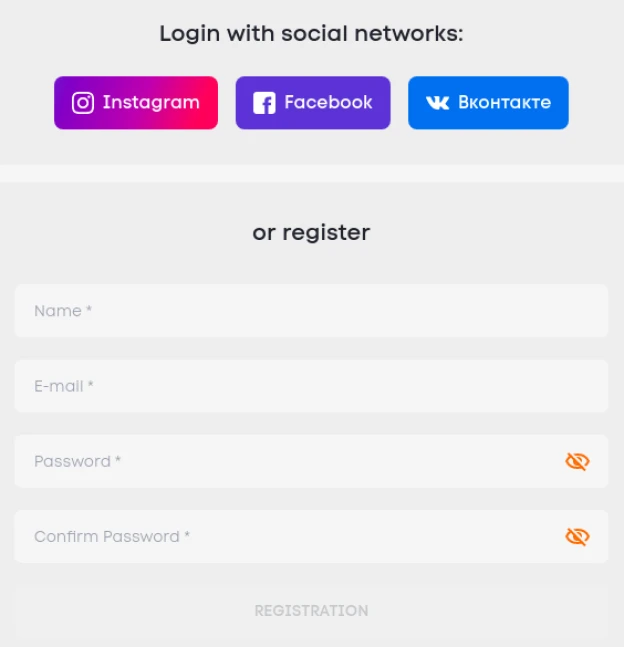
- On the left, in the list of available countries and services, select the ones you need. Use the search by starting to type the first letters of the service in English or the country in Russian;

- Next to the name of the selected service, you will see the cost of a message. Top up your account for the required amount (you can use a bank card, electronic money and even cryptocurrency);
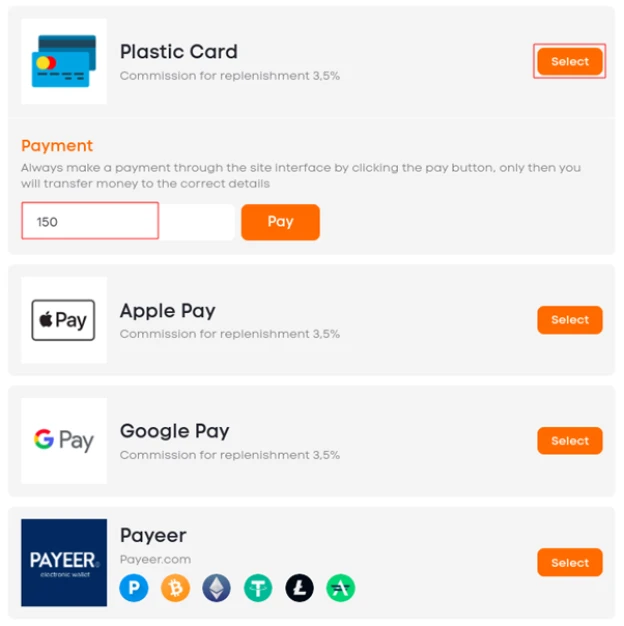
- Before creating two Uber accounts, go back to the page for buying a number and click on “Buy”;

- Go to the "Active numbers" tab. There you will find the generated phone number. Copy it before following the next steps;
- Download and install (or just launch) the service application from your mobile store;
- Start the standard registration for a new driver or passenger account;

- Specify the purchased phone number as a personal contact;
- You’ll find SMS with verification code in “Active numbers” next to the number;
- Complete the registration by copying the verification code into the required field.
That’s all. Nothing is easier than creating many Uber accounts. It's time to call a taxi!