









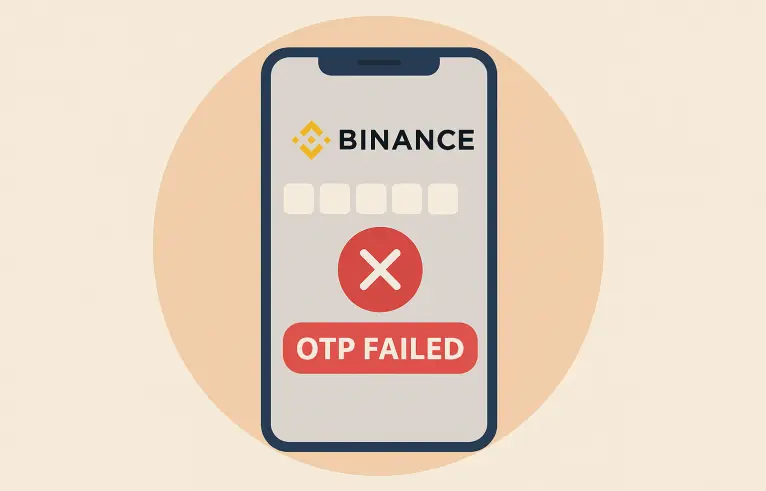

The Binance OTP Problem: When Verification Fails
You open the Binance app, type your password, and then wait for the SMS code. But nothing arrives. The Binance OTP not working scenario is more common than you think. Thousands of users complain about Binance OTP failed, Binance OTP not received, or simply Binance SMS not received.
This single glitch blocks logins, withdrawals, and even new registrations. If your Binance verification code not coming, you’re locked out of your account until the issue is solved.
Why Binance Verification Code Not Received Happens
Several factors explain why the Binance verification code not received error shows up:
- Network issues → weak signal, temporary downtime.
- Carrier filtering → some providers block international SMS.
- Incorrect number in your account profile.
- App bugs → outdated version of Binance app.
- Temporary overload on Binance servers.
If you can’t receive Binance SMS code, don’t panic — most problems have a workaround.
Binance SMS Code Not Received? Quick Fixes
If Binance not sending SMS, try these practical steps:
- Check your number in Binance settings — make sure it’s correct.
- Switch networks — toggle between Wi-Fi and mobile data.
- Restart the app and re-login.
- Wait a few minutes — codes sometimes lag.
- Try another SIM — if possible, insert into a different phone.
(Mini remark: sometimes the fix is as simple as moving closer to a window for better signal.)
Binance Phone Verification Not Working on Login
Many users face Binance login SMS not received at the worst moment — right when trying to access funds. If your Binance phone verification not working, check if:
- Your phone has roaming enabled (if abroad).
- SMS delivery is not blocked by your messaging app.
- You haven’t hit a daily OTP limit.
In some cases, Binance suggests switching to Google Authenticator or Authenticator app for 2FA instead of SMS. But what if you really need SMS codes?
Virtual Solution: Using Grizzly SMS for Binance OTP
When the Binance OTP code failed repeatedly, or your Binance mobile verification failed, the fastest alternative is using a virtual number.
Here’s how to get your OTP with Grizzly SMS:
- Go to the Grizzly SMS website and register.
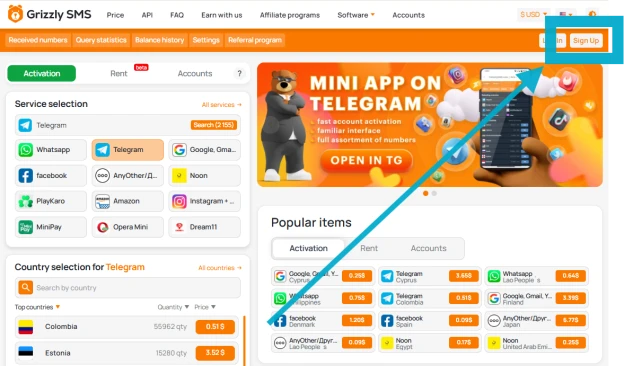
- Select Binance from the app list.
- Buy a temporary number from the U.S., UK, or other region.
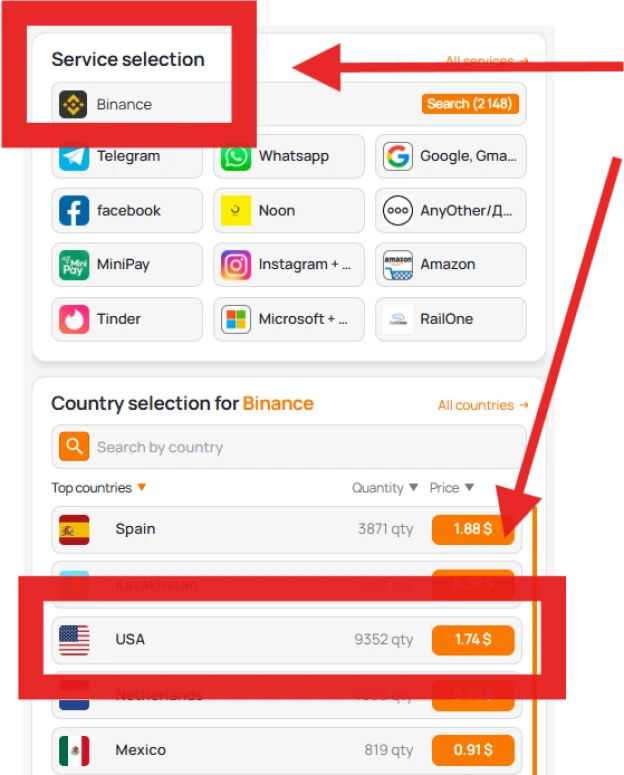
- Enter this number in Binance for verification.
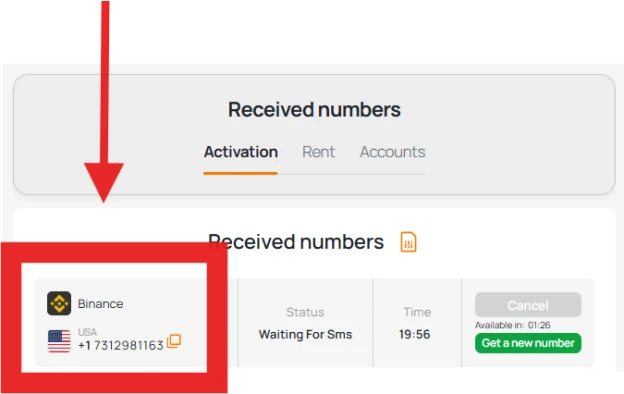
- Wait for the OTP SMS to arrive in your Grizzly SMS account.
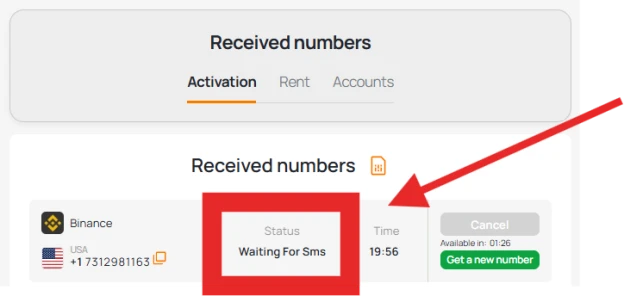
- Copy and paste the code into Binance.
And that’s it — no more “Binance verification SMS failed” messages.
Binance Two Factor Code Not Received: What Else Helps
If your Binance two factor code not received, here are extra tricks:
- Clear cache of the Binance app.
- Update to the latest version.
- Contact Binance support if issues persist.
- Use Authenticator apps as backup for critical actions.
Conclusion: No More Binance OTP Code Problem
If your Binance OTP problem keeps repeating, remember:
- First, try the basics — check number, restart, update app.
- If Binance SMS code not received continues, switch SIM or network.
- For stubborn cases, use Grizzly SMS to bypass the issue entirely.
That way, you’ll never be stuck again with Binance OTP not working.