






How to Sign Up for Payoneer Without a Phone Number
Payoneer is one of the most recognized platforms for receiving international payments. Freelancers, e-commerce sellers, and remote teams rely on it daily. Normally, account creation requires you to confirm your identity via a mobile code.
But what if you don’t have access to a SIM card, or you simply prefer not to tie personal contact details to your business wallet? That’s where the idea of Payoneer registration without phone number comes in. And yes — it can be done safely.
Can You Open a Payoneer Account Without Phone Verification?
By default, Payoneer asks for SMS confirmation during sign-up. Without entering that code, you can’t complete the process. The workaround is to use a temporary or virtual number for Payoneer that can receive the verification message on your behalf.
This lets you go through Payoneer sign up without phone number, while still satisfying the platform’s security requirements.
Step-by-Step Guide: Using Grizzly SMS to Create Payoneer Account
The easiest way to bypass phone verification is through Grizzly SMS. Here’s how it works:
- Create an account on Grizzly SMS with your email.
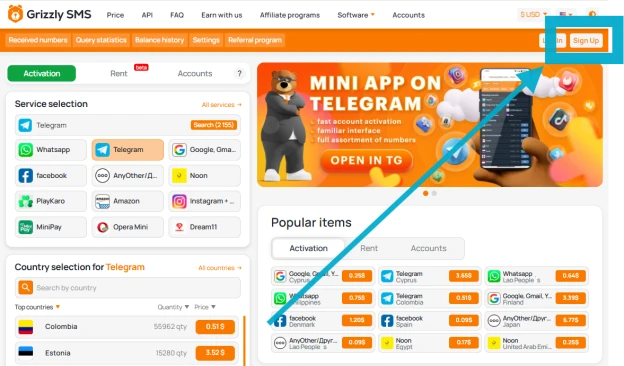
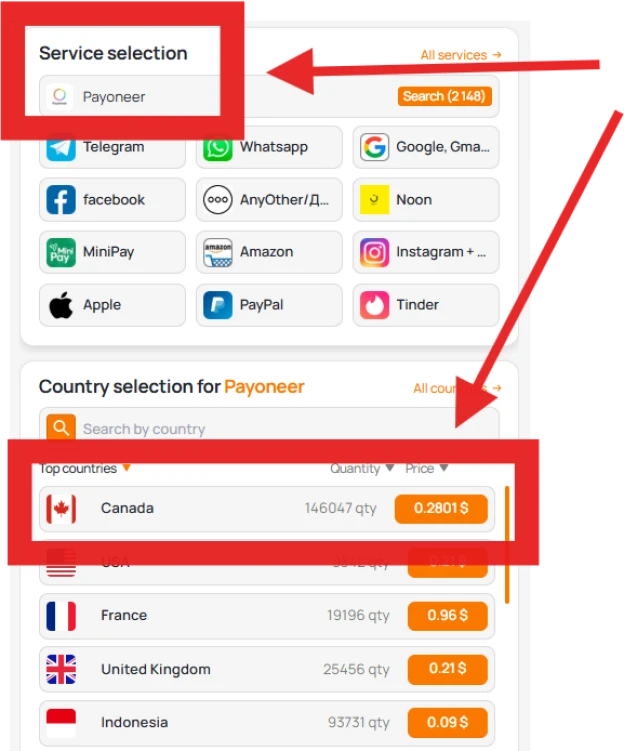
- From the dashboard, select Payoneer among the supported services.
- Purchase a virtual number from the available list (U.S., U.K., Europe, etc.).
- Return to Payoneer’s website and start registration by filling in your personal details (name, address, ID).
- When asked for a phone number, paste the one from Grizzly SMS.
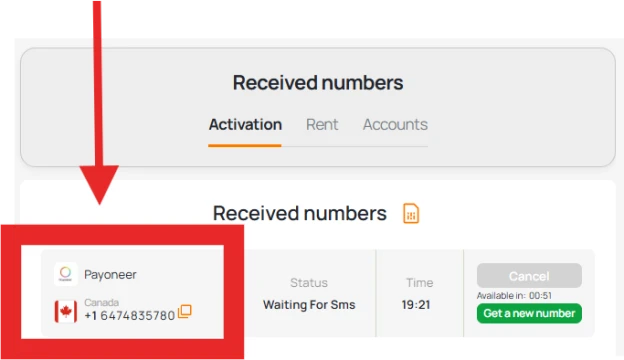
- The verification code will appear instantly in your Grizzly inbox.
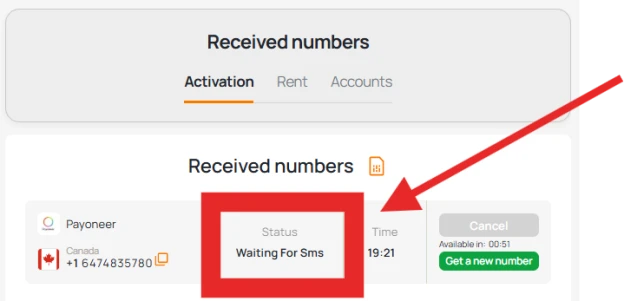
- Copy the code, confirm on Payoneer, and finalize your account creation.
(Little tip: keep a screenshot of the confirmation page — it helps later if you need support.)
Security Tips After Registering Without Your Own Number
Some users worry that avoiding a personal SIM means less protection. That’s not true if you take a few steps:
- Use a long and unique password.
- Set up email recovery options in case you lose access.
- Consider linking Payoneer with an authenticator app instead of SMS for 2FA.
- Keep your personal information up to date for smooth account recovery.
Logging Into Payoneer Without Phone Number
Once your profile is verified, you don’t need the phone number again for normal login. You can access Payoneer using only your email and password.
If account recovery is required, Payoneer provides email-based options, so you won’t be locked out just because you don’t have a SIM card anymore.
When This Method Is Especially Useful
- Digital nomads who change countries often and don’t keep one SIM card.
- Freelancers who want to separate business payments from private contacts.
- Users who lost their old number but need to register urgently.
- Entrepreneurs creating an additional account for company finances.
In each of these cases, being able to sign up for Payoneer without phone verification saves time and stress.
Conclusion
To wrap up:
- Payoneer requires SMS verification, but you can bypass it with a virtual number.
- Services like Grizzly SMS provide temporary numbers that work instantly.
- After registration, you log in normally without ever needing a SIM.
- As long as you protect your account with strong security practices, this method is both practical and safe.