






When Vinted SMS Not Received Becomes a Real Issue
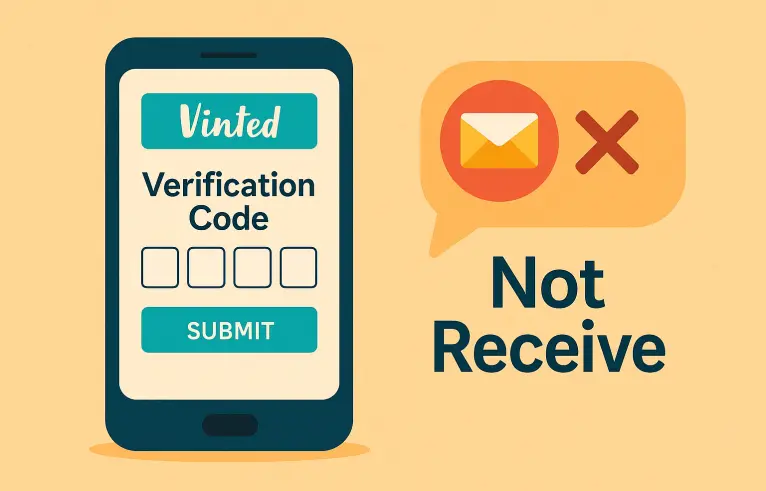
So you’ve signed up for Vinted, entered your number, and waited… but nothing. The Vinted verification code not received error is common and deeply frustrating. Without that tiny SMS, your account cannot be activated, and you’re stuck staring at the registration page.
This situation is more frequent than many admit. Users complain: “Vinted not sending SMS”, “Vinted OTP not received”, or “Vinted code not arriving even after minutes of waiting.” If you’re nodding your head, you’re not alone.
Why Is Vinted Not Sending Verification Code?
There are several reasons why Vinted not sending verification code might happen:
- Weak mobile signal or temporary operator delay.
- The Vinted app encountering a bug.
- Incorrectly entered number (yes, even one digit off can break it).
- Carrier blocking international SMS.
- Temporary issues on Vinted’s servers.
In other words, the Vinted SMS verification problem isn’t always your fault.
Quick Fixes: How to Solve the “Vinted No SMS Code” Issue
Before panicking, try these steps:
- Check your number carefully — even re-enter it.
- Wait a few minutes; sometimes codes are delayed.
- Restart the app and attempt again.
- Check blocked messages on your phone.
- If all fails, use another number — this is often the fastest fix.
(Side remark: sometimes the easiest “fix” is just to swap the number you’re using.)
Using Grizzly SMS to Get Vinted Codes
If your phone verification failed and your own SIM is not working, you can bypass the issue with a virtual number for Vinted.
Here’s how to verify with Grizzly SMS:
- Go to Grizzly SMS and create an account.
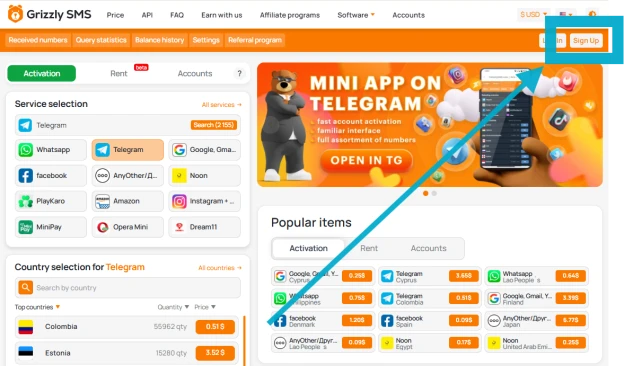
- Select Vinted in the app list.
- Get a temporary number from the system.
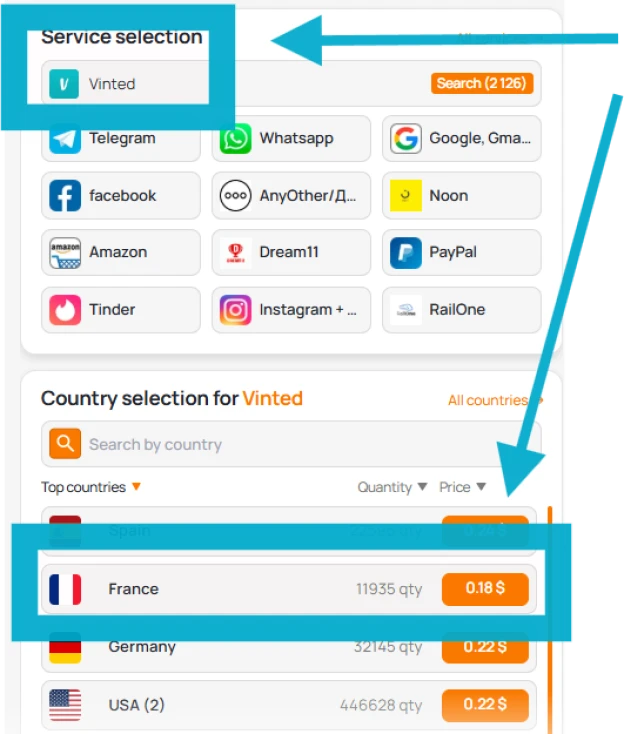
- Use it in the Vinted app during registration.
- Wait for the code — it appears in your Grizzly dashboard.
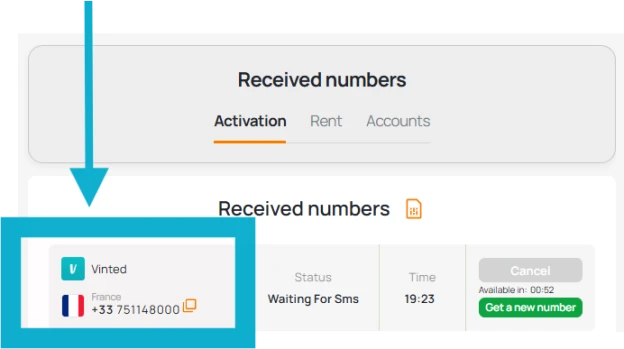
- Copy and enter the code into Vinted.
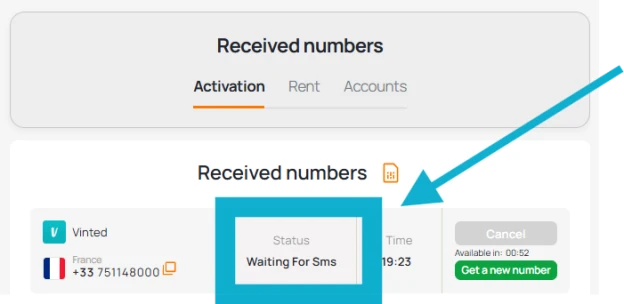
And voilà — no more “Vinted not receiving code” headaches.
Common Signs of Vinted SMS Verification Problem
If you’re unsure whether it’s just a delay or a real bug, watch for these signals:
- No SMS after 10+ minutes → clear Vinted code not arriving issue.
- Message never shows in your inbox, even after restarting your phone.
- “Vinted phone number not working” error appears repeatedly.
- Multiple retries but always Vinted not sending SMS.
When these patterns show up, switch to a different number or a virtual provider.
Alternative Ways to Verify When SMS Fails
Besides SMS, you can sometimes verify via email. But if Vinted OTP not received and the app doesn’t offer email confirmation, your best bet is:
- Use new numbers (friends, family, or virtual).
- Try a temporary number service like Grizzly SMS.
- Contact Vinted support if all else fails (slow but possible).
(Note: relying only on waiting rarely works — proactive fixes save time.)
Conclusion: No More Waiting for a Code That Never Comes
When Vinted not sending verification code stops you from creating an account, don’t despair. First, check your number, wait a few minutes, and retry. If the Vinted no SMS code problem continues, switch to a virtual number with Grizzly SMS.
It’s a reliable solution to get codes, verify quickly, and finally use your account without endless frustration.