Gmail Accounts for Business and the Hidden Risks of Using Personal Phone Numbers
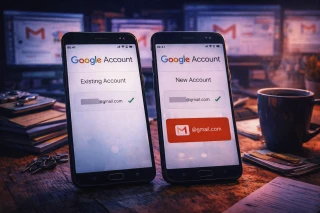
Using Gmail for business often starts small. One account for a project, another for a client, maybe a shared inbox for the team. At first, using a personal phone number for verification feels harmless — fast, familiar, already in your pocket. But as your setup grows, that convenience can quietly turn into a limitation.
More companies are discovering that gmail accounts for business behave differently from casual personal use. Verification limits, account linking, and unexpected blocks tend to appear exactly when flexibility matters most. Understanding when a personal number stops being helpful — and what to use instead — can save time and frustration later.
At the same time, it’s still possible to use online services freely while keeping control over your data. Virtual phone numbers from Grizzly SMS allow you to register accounts without tying everything to one real SIM. Low-cost numbers, a wide range of countries and services, full anonymity, convenient payment options, and responsive support make this a practical option rather than an extreme one.
Gmail Accounts for Business: Why Personal Numbers Create Long-Term Problems
A personal phone number is a stable identifier. That’s exactly why Google likes it — and why it can become a problem for business use.
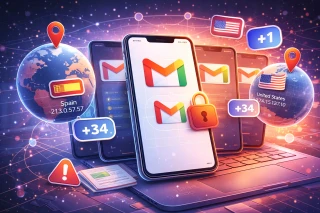
Over time, using one number across multiple accounts can lead to:
- automatic linking between business profiles
- verification limits triggered sooner than expected
- higher risk if one account is flagged
- difficulty creating new work accounts later
What works fine for one inbox doesn’t always scale for a growing business setup.
Business Gmail Without Phone Number: Is It Really Possible?
Many teams ask whether business Gmail without phone number is realistic. The short answer: sometimes, but not reliably.
Google may allow signup without immediate phone verification, but:
- verification is often requested later
- recovery options become weaker
- additional checks appear during logins
This is why completely avoiding phone numbers often creates more problems than it solves — especially for business-critical email.
Multiple Gmail Accounts Business: Where Things Usually Go Wrong
Running multiple gmail accounts business setups introduces patterns Google pays close attention to.
Common trouble spots include:
- creating accounts too quickly
- reusing the same phone number repeatedly
- managing accounts from different locations
- mixing personal and business identities
None of these are forbidden, but combined they raise flags faster than most users expect.
Why Virtual Phone Numbers Fit Business Use Better
Virtual numbers offer separation — something business email setups desperately need.
They help because:
- each account starts with a clean identifier
- personal numbers stay private
- limits don’t accumulate on one SIM
- problems with one account don’t affect others
Instead of fighting Gmail’s systems, you work around their pressure points more calmly.
How to Register a Gmail Account Using Grizzly SMS
No technical skills required — everything works directly in your browser, without SIM cards and with reliable SMS delivery.
- Create an account on Grizzly SMS

- Top up your balance using a convenient payment method
- Select Gmail as the service

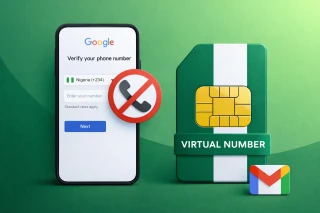
- Choose a suitable mobile operator country (for example, United States)
- Receive a phone number and copy it

- Enter it during Gmail registration
- Get the SMS code in your Grizzly SMS dashboard
The process takes just a few minutes and keeps your personal phone number separate from business accounts.
Secure and Fast — Why Users Prefer Temp Numbers for Gmail
- Instant number activation
- No SIM cards or additional apps
- Strong compatibility with Google services
- Pay only for what you actually use
- Full anonymity
- Simple and intuitive interface
- Access from anywhere in the world
Final Thoughts
For personal email, a real phone number is usually fine. For gmail accounts for business, it often becomes a bottleneck sooner or later. Limits stack up, accounts get linked, and flexibility disappears right when you need it most.
Virtual phone numbers from Grizzly SMS offer a cleaner way to scale business email setups without putting everything on one personal SIM. If you manage multiple Gmail accounts or plan to grow, this small change can prevent much bigger problems later.