






How Many Gmail Accounts Can You Create with One Phone Number?
If you’ve ever tried creating more than one Gmail account, you’ve probably run into it sooner or later: verification suddenly fails, the SMS never arrives, or you see an error that looks suspiciously final. Gmail is generous at first, but it keeps a close eye on how often the same number is reused.
The gmail phone number limit isn’t officially published, which makes the experience even more confusing. One day everything works, the next day your number is “used too many times.” Understanding how these limits work — and how to plan around them — saves time, nerves, and unnecessary retries.
At the same time, it’s worth remembering that enjoying online services while staying anonymous is still possible with virtual numbers from Grizzly SMS. Cheap numbers, a wide selection of countries and services, full anonymity, convenient payment options, and responsive support make it easier to avoid long-term dependence on a single real phone number.
Gmail Phone Number Limit: Why Google Cares About Reuse
Google doesn’t limit phone numbers randomly. From its perspective, a phone number is a strong identity marker.
The gmail phone number limit exists mainly to:
- slow down mass account creation
- reduce spam and automated abuse
- link accounts to stable identifiers
- flag unusual registration patterns
The more often one number is reused, the more suspicious it looks — even if you’re doing nothing wrong.
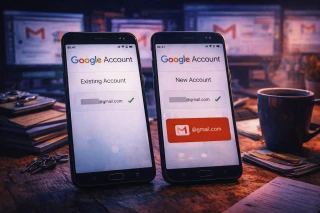
How Many Gmail Accounts Per Phone Number Is Actually Allowed?
This is the question everyone asks, and the answer is frustratingly vague. Officially, Google doesn’t state an exact number.
In practice:
- 1–2 accounts usually work without issues
- additional attempts may require extra verification
- at some point, Gmail simply refuses to send the SMS
This is when users see messages like gmail number used too many times, often without any clear explanation or recovery option.
Gmail Number Used Too Many Times: What Triggers the Block
Hitting the limit isn’t always about quantity alone. Context matters.
Common triggers include:
- creating accounts in a short time window
- using the same number across different regions
- previous account suspensions
- mismatched IP location and phone country
Once the system flags a number, waiting doesn’t always help. Sometimes the block feels permanent.
Why Using Your Personal Phone Number Can Backfire
Your real phone number feels like the safest option — until it isn’t.
Over time, reuse can lead to:
- hard limits on new Gmail accounts
- linking multiple Google services together
- higher risk during data leaks
- loss of flexibility for future registrations
When a personal number hits a wall, there’s no easy reset button.
How Virtual Numbers Help Bypass Gmail Verification Limits
This is where virtual numbers quietly solve the problem. Instead of reusing one number endlessly, each registration starts fresh.
Virtual numbers help because:
- each Gmail account gets a clean number
- limits don’t stack up on your personal SIM
- failed attempts don’t affect other accounts
- your real phone number stays private
It’s less about “bypassing” rules and more about avoiding unnecessary bottlenecks.
How to Register a Gmail Account Using Grizzly SMS
Nothing technical is required — everything works through your browser, without SIM cards and with reliable SMS delivery.
- Register on Grizzly SMS
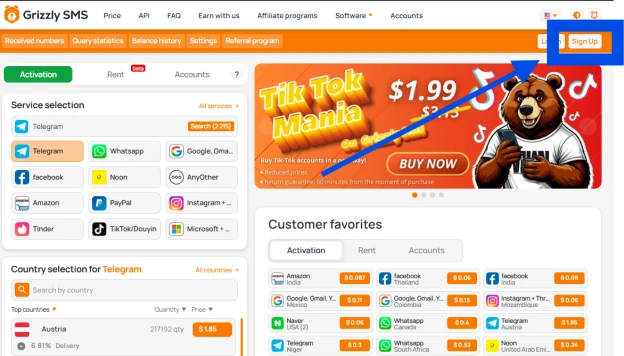
- Top up your balance using a convenient payment method
- Select Gmail as the service
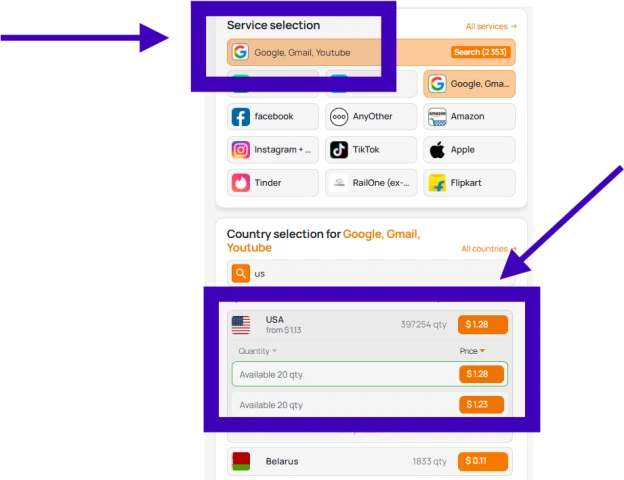
- Choose a suitable mobile operator country (for example, United States)
- Get a phone number and copy it
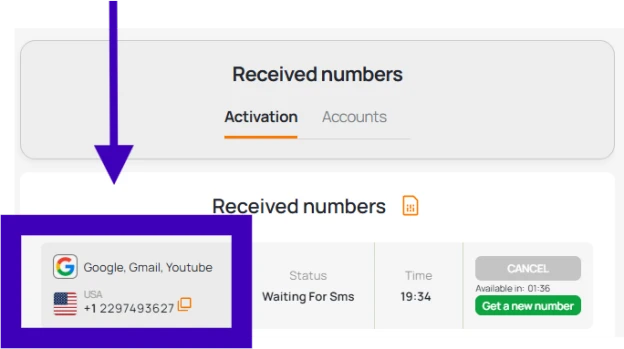
- Enter it during Gmail registration
- Receive the SMS code in your Grizzly SMS dashboard
The process is quick and doesn’t tie your personal number to Gmail long-term.
Secure and Fast — Why Users Prefer Temp Numbers for Gmail
- Instant number activation
- No SIM cards or extra apps
- Excellent compatibility with Google services
- Pay only for what you actually use
- Full anonymity
- Clean and intuitive interface
- Access from anywhere in the world
Final Thoughts
Gmail verification limits aren’t going away, and guessing how many times you can reuse one phone number is a losing game. Once a number hits its limit, starting over often feels easier than fighting the system.
Virtual phone numbers from Grizzly SMS offer a practical way to stay flexible, protect your real number, and avoid running into the same wall again. If you work with multiple Gmail accounts, this approach saves time — and a lot of frustration.