How to Skip Gmail Phone Verification: Creative Ways That Actually Work in 2025
Every time you try to create a new Google account, you’re gently nudged with the same request: “Please enter your phone number.” It’s Google’s way of making sure you’re a real human, not a bot army.
But not everyone wants to hand over a private SIM card. Travelers, remote freelancers, digital nomads, or simply privacy-focused users often type into search: how to bypass Gmail phone verification. And honestly, it makes sense—sometimes you just want an inbox, not a digital interrogation.
Myth or Reality: Can You Create Google Account without OTP?
The short answer: yes, but it depends.
- Occasionally, the sign-up form gives you a magical “Skip” button (though Google is hiding it more often in 2025).
- On certain Android devices, you can complete the setup with just Wi-Fi and no SIM at all.
- But most of the time, you’ll need to receive one SMS code somewhere.
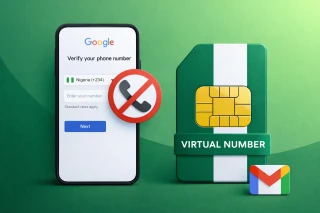
That’s why the smartest workaround is: don’t use your own number, use a virtual one.
Bypass Gmail Phone Verification: Renting a Number Just for One Minute
Imagine you need a key to open a door, but you don’t want to keep it afterwards. That’s how virtual numbers for Google work. They exist only long enough to catch the OTP code.
One of the easiest ways is through Grizzly SMS. Here’s the flow:
- Register on Grizzly SMS with your email.

- From the catalog, pick Gmail as the service you need.
- Buy a temporary number from any available country.

- Paste this number into the Gmail sign-up form.

- Wait for the SMS to appear inside your Grizzly dashboard.

- Copy → paste → done. Your Gmail is live.
No personal SIM cards, no awkward extra devices — just a quick borrowed number to pass the gatekeeper.
What About Android FRP Locks After Reset?
Another scenario: you reset an Android phone, boot it up, and — surprise — Google demands the old number. Users often panic and search how to not verify Google account after factory reset.
Here are tricks that actually help:
- Try the offline setup path (sometimes available if you skip Wi-Fi at first).
- Use your recovery email instead of SMS.
- Or, once again, grab a temporary number from Grizzly SMS, drop it in, and bypass the wall.
Think of it like borrowing a friend’s key to get into your own house after losing yours.
Is This Safe?
Yes — because you’re not “cheating” Google. You’re still giving them a phone number, just not your personal one. Once the OTP is confirmed, your Gmail behaves like any other account: you can secure it with a recovery email, strong password, and two-factor authentication through apps.
(Side remark: it’s like wearing a mask at a costume party — you still attend, but with a little more privacy.)
Extra Hacks to Make Life Easier
- Use incognito mode when creating multiple accounts.
- Add a backup email immediately after registration.
- Keep track of your credentials in a password manager.
- If Gmail keeps nagging for a number, switch browsers or devices — the prompts vary.
Final Thoughts
Bypassing Gmail phone verification in 2025 isn’t about tricking the system — it’s about choosing how much personal data you share.
- Sometimes you’ll be lucky and see the “Skip” option.
- Other times, you’ll need to rent a virtual number through services like Grizzly SMS.
- Once inside, your Gmail works normally, with full security settings available.
So yes, you can set up Gmail without sacrificing your personal SIM. And the process is easier than most people think.