Google Chrome Incognito Mode: Beyond the Basics of Private Browsing
Everyone has their reasons for hitting new incognito tab chrome. Maybe you’re buying a gift, maybe you don’t want work searches mixed with personal history, or maybe you just want a clean slate. The google chrome incognito tab gives exactly that — a page that pretends your browser never met you.
But here’s the truth: opening a new chrome incognito tab is like wiping fingerprints off your desk, not off the whole city. Your device forgets, but the web still remembers.
Google Chrome Incognito Mode: Not Quite a Cloak of Invisibility
When you open a google chrome incognito mode tab, Chrome promises three things:
- It won’t log your history.
- It won’t keep cookies once you close the window.
- It won’t autofill forms from that session.
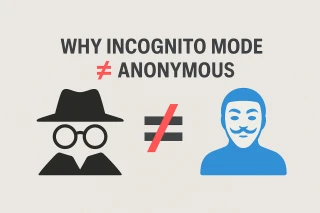
But don’t mistake this for total anonymity. Employers, schools, ISPs, and websites themselves can still trace your activity. The incognito browser tab is more about local privacy than global invisibility.
Incognito Tab How to Open Without Overthinking
Shortcut lovers rejoice:
- On Windows: Ctrl + Shift + N.
- On Mac: Command + Shift + N.
- On Android/iOS: three dots → new incognito tab chrome.
That’s it. No magic spells, just a different window with a darker theme and fewer digital footprints.
Everyday Use Cases for the Incognito Chrome Tab
So why bother with a google incognito tab if it isn’t bulletproof? Because it’s practical:
- Sign in to a second Gmail account without logging out of the first.
- See a website as if you’re a first-time visitor.
- Occasionally bypass paywalls or regional settings.
- Prevent your partner from seeing you’ve been price-checking their birthday gift.
In short, a new google chrome incognito tab is less about mystery and more about utility.
Most Anonymous Browser vs. Chrome’s Incognito
The most anonymous browser isn’t Chrome in incognito mode — it’s something like Tor or Brave. Chrome’s private tab is a halfway house: it helps keep your device neat but won’t shield you from deeper surveillance.
If your goal is true anonymity, then google chrome incognito mode is a starting line, not the finish line.
Bonus Note: Grizzly SMS and the Art of Staying Invisible
Even the best incognito tab won’t save you when a website demands a phone number. That’s where services like Grizzly SMS step in. With temporary virtual numbers, you can register on platforms without exposing your real SIM. Combine a google chrome incognito tab with Grizzly SMS, and you cover both fronts: your browsing stays private, and your digital identity remains anonymous.