






How to Create American Gmail Without US Number in a Few Easy Steps
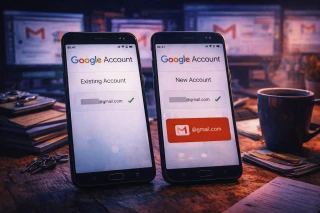
Let’s be honest — starting a fresh Gmail account can feel like an obstacle course, especially when Google stubbornly insists on a US phone number you don’t have. Many users hit that wall and give up, not realizing there’s a straightforward workaround. In this guide, we’ll walk through how to get a US Gmail account without phone number verification and why this method has quietly become the go-to solution for thousands of people worldwide.
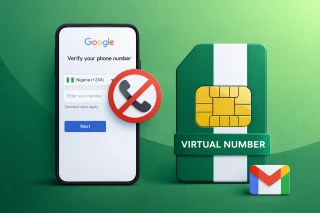
Here’s the neat part: creating a new, private Gmail account for the USA doesn’t require a physical SIM card at all. With a US virtual number for Gmail from Grizzly SMS, you can breeze through the signup step. The service offers low-cost numbers, plenty of supported countries, full anonymity, flexible payments, and responsive support — all without hidden complications.
Gmail US account without phone verification: why users look for alternatives
If you’ve ever stared at the “Verify with a US number” screen wondering what Google expects from you, you’re not alone. Quite a few users need an American Gmail account — for business tools, region-locked apps, or ad campaigns — but live nowhere near the United States. That’s where the idea of Gmail US account without phone verification starts making sense.
Some people try random tricks, VPN acrobatics, or borrowed numbers. But even when these work, they tend to break at the worst possible moment. Using a virtual US number is calmer, cleaner, and frankly, more predictable. And yes, you can create American Gmail without US number in just a couple of minutes.
How to create Gmail account without US phone number: the practical approach
Let’s break it down step by step. The trick is simple: instead of using your personal SIM, you use a temporary virtual number that Google accepts just like a regular US number. This allows you to create Gmail account without US phone number while keeping your personal details far away from the process.
What makes this method convenient is that temporary numbers don’t require installation, activation, or any technical gymnastics. You pick a number for Gmail, copy it, insert it into the verification form, and the SMS code arrives in your Grizzly SMS cabinet. No extra apps, no hardware, no odd setup rituals.
American Gmail account no phone number: when you might need one
Before we move on, there’s one more detail worth mentioning: a US Gmail account opens a surprising number of doors. Many services treat American users differently — sometimes better, sometimes with more features. Whether you’re testing apps, running marketing tools, creating ad accounts, or just keeping work and personal identities separate, an American Gmail account no phone number attached to your real SIM can feel liberating.
And since Google occasionally distrusts repeated registrations from one phone number, virtual numbers help you avoid those “too many attempts” dead ends. It’s a small hack that saves time — and nerves.
Gmail registration without American number: common pitfalls
Here’s a simple truth: not all verification methods survive Google’s security filters. Some users try free public numbers, but these usually fail during Gmail registration without American number because they’re overused and flagged.
If you want smooth, reliable registration, using a fresh virtual number is the safest path. It cuts down on errors, avoids suspicious-looking reused numbers, and keeps your identity private.
US Gmail signup without phone number: step-by-step via Grizzly SMS
You don’t need to be a tech wizard to figure this out. Everything happens in the browser, and the whole process takes less than a cup of coffee.
How to sign up:
- Create an account on Grizzly SMS.
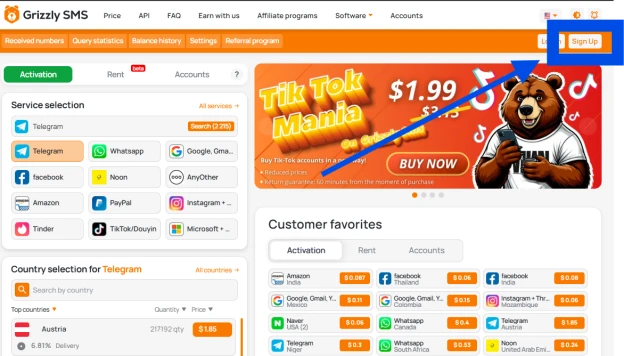
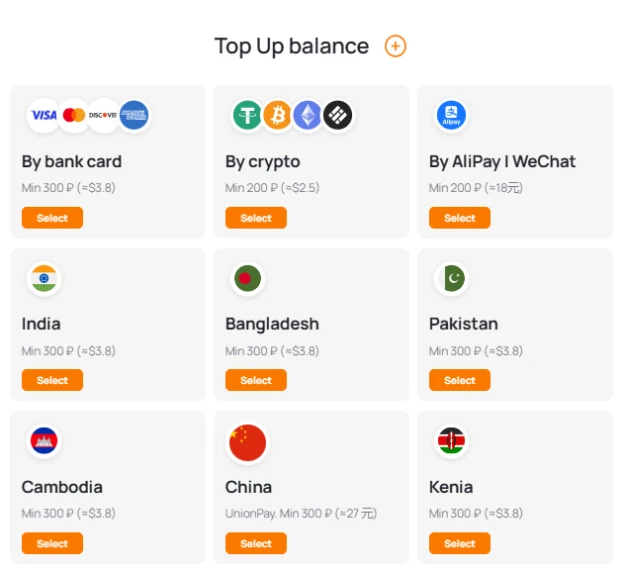
- Add funds using any convenient payment method.
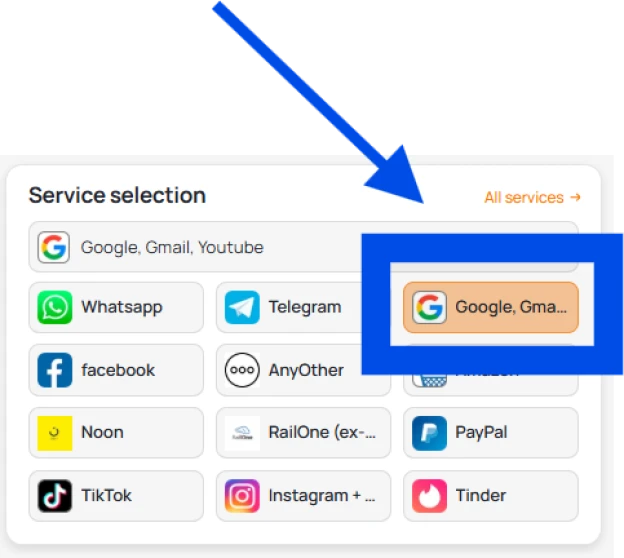
- Choose Gmail and select USA in the list of available countries.

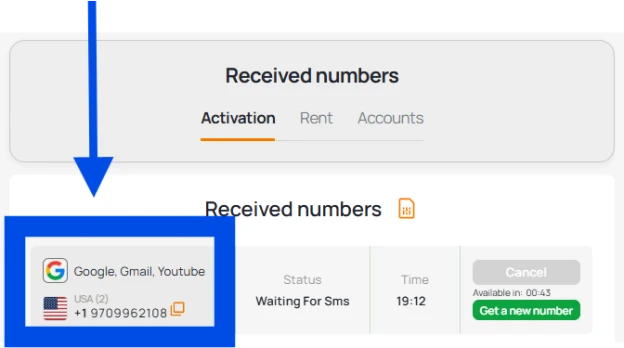
- Get your temporary US number and copy it.
- Paste it into the Google signup form during US Gmail signup without phone number.
- Receive the verification code in your Grizzly SMS dashboard and enter it in Gmail.

Now that you’ve got the idea, let’s make it practical.
Benefits of Using a Temp Phone Number for Gmail
- Instant SMS delivery
- No need to purchase a SIM card or install apps
- Works smoothly with major international platforms
- Pay only for the number you use
- High level of privacy and anonymity
- Clean, intuitive interface
- Can be activated from anywhere worldwide
Final thoughts
If you’re ready to give it a try, the whole process takes just a moment — and your new US Gmail account will be up and running without the usual roadblocks. Sometimes the smartest move is the simplest one, and choosing a virtual number from Grizzly SMS is exactly that.