






Google Rejects Your Phone Number: What to Do for Gmail and YouTube
A rejected number, a missing SMS, and a YouTube channel limit are different problems. Identify the verification step first, follow the relevant troubleshooting path, and keep long-term account recovery separate from temporary SMS access.
Identify which Google verification you are completing
When Google rejects a phone number, the useful first question is not which number to try next. It is which check you are completing. Creating a Google Account for Gmail, enabling YouTube channel features, and securing an existing account can involve phone verification, but they serve different purposes. A number accepted for one task does not establish that it will work for another.
During account creation or sign-in, Google sometimes requests phone verification to help distinguish people from automated abuse. That does not mean every Google Account must always have a phone number. Follow the options actually displayed in your registration flow rather than assuming a phone-free route is available or that a phone challenge can be skipped.
YouTube phone verification concerns channel capabilities. Account recovery and 2-Step Verification concern future access and security. Record the exact error and the screen where it appears before troubleshooting; otherwise, you may apply a YouTube limit to Gmail registration or mistake a recovery requirement for a signup problem.
This guidance is intended for users across markets, not one country. Carrier support varies, and Google recovery options are not available uniformly across regions, accounts, and devices. Neither worldwide compatibility nor acceptance of every country's numbers should be assumed. *
Handle rejected-number and overuse errors correctly
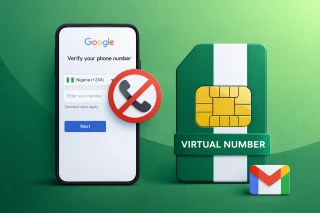
The message “This phone number cannot be used for verification” is different from a code that simply has not arrived. Google's guidance for this rejection is to use a different number. It explains that account creation using a phone number is limited to reduce abuse, but does not publish a universal numerical allowance in this guidance.
“This phone number has been used too many times for verification” also calls for a different number. Do not interpret either message as proof that a particular waiting period, browser change, or repeated request will make the number eligible. There is no supported fixed reset timetable here.
Google lists a friend’s or family member’s number, or a number from another carrier, as possible alternatives. If considering someone else's number, obtain their permission and distinguish a one-time verification arrangement from your own long-term recovery setup. Borrowing access does not give you continuing control of that number.
For broader reading about registration challenges, see https://grizzlysms.com/blog/why-creating-a-google-account-is-becoming-more-difficult-in-2026. Keep your next action tied to the actual error rather than treating a general registration guide as a promise that another attempt will succeed. *
Troubleshoot a verification SMS that never arrives
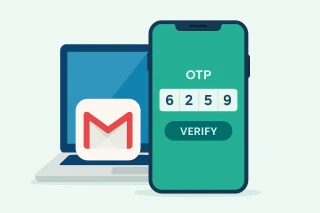
If the number was accepted but no text arrived, start with delivery troubleshooting rather than assuming the number has been rejected. Google notes that messages can be delayed in densely populated locations or when a carrier has infrastructure problems. Allow a few minutes for delivery before moving to the next available option.
If the verification screen offers a voice call, try it. Google's account-verification guidance allows a home phone number when using the call option. That does not mean every signup screen offers calls, or that a service designed only to receive SMS can receive a spoken code.
For YouTube, you can request a new code if the first one does not arrive. If a new code still fails to arrive, the carrier may not support Google's texts or calls. YouTube recommends trying the other delivery method or a number from another carrier. A delivery failure is therefore not necessarily an error in the number itself.
Text and call charges depend on your phone plan and are generally comparable to standard messages or calls. Check with your carrier when costs or delivery support are unclear. Avoid treating repeated code requests as a substitute for identifying whether the selected carrier and delivery method are supported. *
Understand YouTube's separate limits and feature requirements
YouTube phone verification enables capabilities including videos longer than 15 minutes, custom thumbnails, live streaming, and appeals of copyright claims. Think of it as a feature-access step, not proof that every other eligibility requirement has been completed.
For advanced features, phone verification comes first. You then need sufficient channel history or verification using ID or video. Completing an SMS challenge alone should not be presented as unlocking all advanced capabilities.
YouTube states a specific limit: a phone number can be associated with no more than two channels per year. If you see its maximum-accounts error, YouTube directs you to use a different number. This is a YouTube channel rule, not a general formula for how many Gmail addresses or Google Accounts a number can create.
A check mark next to a channel name is another process entirely. Applying for a verification badge normally requires 100,000 subscribers, 2-Step Verification, and a complete profile, followed by review. Only owners or managers can apply. The badge identifies an official channel; it does not grant extra features or constitute YouTube endorsement. *
Choose a number service without confusing access with ownership
If you are considering GrizzlySMS, the relevant catalog entry is Google, Gmail, Youtube at https://grizzlysms.com/gmail. Match the listed service to your intended verification task and check the current country choices and conditions before deciding whether an offer fits your needs.
A country option is not a guarantee that Google or YouTube will accept a number. Carrier compatibility, the number's verification history, and the platform's own checks still matter. An SMS-receiving option also should not be assumed to support voice calls or every challenge that may appear during registration.
Treat temporary number access as temporary. Receiving one code does not establish permanent ownership, future availability, or the ability to receive another code months later. Do not build a valuable account's recovery plan around a number you cannot reliably retain.
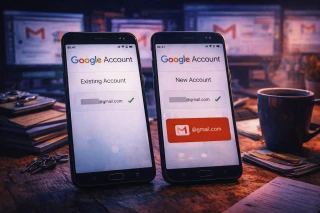
For readers planning another account, https://grizzlysms.com/blog/how-to-create-a-second-google-account-without-linking-it-to-your-existing-one offers related reading. Creating another account still leaves you responsible for meeting Google's verification requirements and maintaining dependable access; no catalog selection guarantees successful registration. *
Set up recovery before you need it
Once you can access the account, add recovery information proactively. Google says you cannot add it while locked out or during account recovery. Open your Google Account, go to Security & sign-in, and review the recovery options available for your account.
Use a recovery email address that you check regularly and that differs from the address used to sign in to this Google Account. For a recovery phone, Google recommends a mobile number that belongs only to you, receives texts, and is regularly kept with you. These requirements make long-term control more important than merely receiving a signup code.
Changes are not always immediately trusted. A new or changed recovery phone can take up to seven days to take effect, and Google may send codes to previous recovery information or authentication factors for seven days after changes. Plan a number transition before losing access to the old one.
Recovery settings can differ by region, device, and account. Work or school accounts may require administrator assistance. Google also warns against using a Google Voice number for recovery, since losing access to the account could prevent you from retrieving the very code needed to regain access. *
Add 2-Step Verification and keep backup codes safely
Recovery information helps when access goes wrong; 2-Step Verification adds protection when signing in. In your Google Account, open Security & sign-in, select the option to turn on 2-Step Verification, and follow the displayed steps. Organization-managed accounts may need administrator support.
Google supports methods including prompts, passkeys, hardware security keys, authenticator apps, and text or call codes, depending on the account and situation. It recommends prompts over SMS when not using a passkey, and notes that passkeys and hardware keys offer phishing protection. Choose methods you can maintain rather than relying exclusively on a phone number.
After enabling 2-Step Verification, generate backup codes from its settings and store them somewhere secure that remains accessible if you lose your phone. Each code works once. Creating a new set invalidates the old set, so replace stored copies rather than keeping conflicting versions.
Backup codes are for the second sign-in step, not a universal substitute for registration verification or account recovery. Never share them. Google does not ask for a backup code except during sign-in, and accounts in the Advanced Protection Program cannot download them. *
Give a YouTube team access without sharing Gmail credentials
If the real goal is to let an editor upload videos, another shared Google login is not the right starting point. YouTube channel permissions let multiple people manage a channel through their own accounts without access to the owner's Google Account.
In the YouTube Studio app, open Settings, then Permissions, choose Invite, enter the collaborator's email address, and select an appropriate role. Invitations expire after 30 days. Brand Accounts must first migrate to channel permissions where required.
Choose the narrowest role that fits the work. An Editor can upload and publish but cannot manage permissions or delete published content; Editor (Limited) also excludes revenue data. Delegated access has feature limitations, including unsupported access to YouTube Music, YouTube Kids, and YouTube APIs. Review the role rather than sharing the owner's password when a limitation appears. *
Frequently asked questions
Is a phone mandatory for every Google Account? No. Google says phone verification is sometimes required during account creation or sign-in; follow the requirements shown for your attempt.
Is there an exact general account limit per number? Google's account-verification guidance does not give one universal numerical limit. YouTube separately specifies two channels per number per year.
Does phone verification give my channel a verification badge? No. The channel-name badge has separate eligibility and review requirements.
Can an editor work without my Gmail password? Yes. Invite them through YouTube Studio channel permissions and assign a suitable role. *
Short verification checklist
Identify the verification screen.
Record the exact error.
Follow the matching troubleshooting path.
Check the offered delivery methods.
Review the applicable YouTube limit.
Add a dependable recovery email.
Enable 2-Step Verification.
Store backup codes securely.
Invite collaborators through channel permissions. *