









Quantity
 |
Price
|
| Available 1660 qty | |
| Available 3443 qty |


 Countries with a high % delivery
 Select country


Phone number for Kaggle account verification
Even data scientists sometimes need real people to talk to. There's no better place to meet like-minded people than Alphabet specialized data science and machine learning competition platform (the same one that owns Google). But not everyone knows how to verify a Kaggle phone number. Which is not surprising, because there are some features. Let's figure it out.
You can buy a reliable virtual phone number for registering with Kaggle without any nuances on the “Grizzly Sms” service. Moreover, for your convenience, there are options from mobile operators around the world. Bypass any regional blocking with our SMS activator and register in absolutely any services from social networks to delivery services. Completely anonymous and at affordable prices.
How to verify Kaggle phone number without SMS?
Anyone knows that for full access to any online service, a phone number is required. The same applies to the American social network for organizing machine learning contests: to register an account and get the opportunity to participate in all the events of the site, you need a Kaggle phone number.
The use of a personal mobile phone is not a rational solution in many cases. Starting from the blocking of users from certain countries, ending with information security. Therefore, in a situation where Kaggle does not verify a phone number, it is best to use an SMS activator.
Today, this is the most rational way to register online, as it provides the following benefits:
- the ability to link a phone number to an account, which makes it possible to access all the functions of the service;
- no need to buy a new SIM card;
- two more advantages follow from the previous paragraph saving money on the purchase of a new starter package and time on the same procedure, since the purchase and use of a virtual number takes place online in a couple of clicks;
- complete anonymity.
However, if you buy a Kaggle phone number from an unreliable provider, you won't get these benefits. In addition, most likely time and money will be wasted. If you are a data scientist and intend to get access to a thematic platform with a guarantee, use verified numbers from the “Grizzly Sms” service. Here's what it gives you:
- the probability of receiving SMS with a verification code is up to 100%;
- low prices for a one-time SMS;
- a wide range of countries of mobile operators and sites for registration;
- convenient payment methods;
- smart interface;
- thoughtful API;
- competent user support.
How to get a virtual number for Kaggle: use the Grizzly Sms activator
If you have never received an SMS using a virtual phone, we recommend that you read the step-by-step instructions for how the SMS activator works. If Kaggle does not verify the number, follow the specified algorithm and get access to the site in no time:
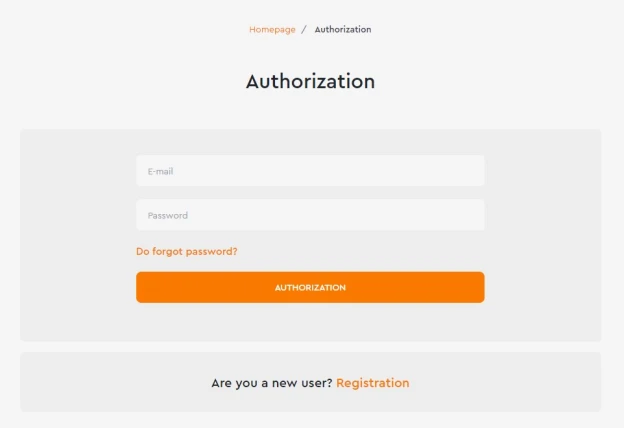
- Log in to your personal account on our website;
2. Select the platform for registering a new account (Kaggle) and the country of the virtual number. Thus, you will find out the cost of a single SMS reception;

3. Fund your account before you buy a Kaggle phone verification number. You can use bank cards, electronic money and crypto coins;

4. Confirm number purchase;

5. Copy the purchased number on the “Active numbers” tab and use it to link to an account in the selected social network;

6. You will also find the verification password in the “Active numbers”. Use it to complete the linking of the temporary number and you can use all the functionality of the site.

