


Quantity
 |
Price
|
| Available 20 qty | |
| Available 72 qty |


Quantity
|
Price
|
| Available 2233 qty | |
| Available 172 qty |


Quantity
|
Price
|
| Available 40 qty |

Quantity
|
Price
|
| Available 100 qty | |
| Available 2852 qty |

Quantity
|
Price
|
| Available 140 qty | |
| Available 77 qty |

Quantity
|
Price
|
| Available 315 qty | |
| Available 20 qty |

Quantity
|
Price
|
| Available 20 qty | |
| Available 40 qty |


Quantity
|
Price
|
| Available 20 qty | |
| Available 43 qty |

Quantity
|
Price
|
| Available 1 qty | |
| Available 366 qty |

Quantity
|
Price
|
| Available 104 qty | |
| Available 5172 qty |

 Countries with a high % delivery


 Select country


Temporary Number for Upwork Verification Inexpensively
To register on the popular freelance programming platform, you need to link a phone number. In many cases, it is inconvenient, and sometimes even impossible, to use your personal mobile number for this purpose. Therefore, it is best to opt for the option that has been tried and tested by many - buy a virtual number for Upwork.
On this page, you will find not only working numbers for receiving SMS on the American service but also detailed instructions on how to purchase with minimal time spent.
One-Time Upwork Number for Registration: Advantages
When it comes to SMS authentication on the Internet, the first question that arises is about the security of such a procedure. Many services accumulate user databases with their personal information and then "accidentally" leak it onto the Web for the enjoyment of malicious actors. To avoid such a fate, you should use a temporary number for Upwork, which will provide its owner with:
- access to the popular freelance platform;
- complete anonymity and preservation of personal confidential information;
- cost savings on purchasing a new starter package for registration on a platform where you cannot/do not want to use your personal mobile number.
At the same time, you should only rely on proven services for selling temporary numbers. After all, you can waste money and receive an absolutely non-working number that will never receive an SMS.
Use the "Grizzly Sms" SMS activator to buy a virtual Upwork number, and you will be guaranteed to:
- access to the desired platform (in addition, there are numbers available for another 200+ services);
- the ability to choose a mobile operator from more than 200 countries around the world;
- low prices for one-time SMS reception;
- convenient payment methods (there is support for bank cards of all banks in the world, all popular cryptocurrencies, most electronic payment systems);
- large discounts for wholesale (from an average of 100 numbers per day);
- a fast interface and high activator speed;
- access to competent support service around the clock.
How to Buy a Temporary Number for Upwork Using the Grizzly Sms Service: Instructions
The purchase process on our website is as simple as possible and manageable even for the most inexperienced internet user. To buy a number for registration on Upwork, you only need to follow a few simple steps:
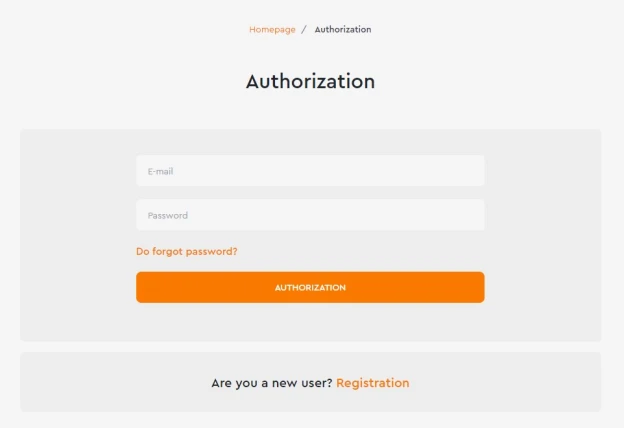
- Register on our platform using an email address (phone numbers are not required, which contributes to your anonymity);
- On the left, select the platform for registering a new account and the country of the appropriate mobile operator. This way, you will know the cost of receiving an SMS with the selected parameters;

3. Top up your account in any convenient way, ensuring that your balance has sufficient funds to purchase a temporary number;

4. Return to the number selection and verify that all parameters are correct (service and country). Confirm the purchase by clicking the button;

6. Go to the "Numbers Received" tab. There you will find the purchased temporary number for Upwork. Copy it and use it for its intended purpose.

