WhatsApp Registration with a Kenyan Number: Full Guide
Every WhatsApp account is tied to a phone number, and that number must include a country code. Without it, registration fails. If you’re setting up WhatsApp with a Kenyan number, the app requires you to use Kenya country code WhatsApp, which is +254.
Think of the code as a global passport: it tells WhatsApp where your number belongs, no matter where you physically are.
What Is a Country Code and Why Does WhatsApp Need It?
A country code is the prefix that identifies the nation of a phone number. For Kenya, it’s +254. WhatsApp uses it to correctly route verification SMS and calls.
For example:
- 🇰🇪 Kenya → +254
- Full mobile number format: +254 7XX XXX XXX
This ensures your registration in WhatsApp is completed without errors.
Kenya Country Code WhatsApp: +254 in Action
When you enter your number during registration, the +254 prefix is automatically added once you select Kenya from the country list.
Examples:
- Nairobi mobile: +254 720 XXX XXX
- Mombasa mobile: +254 733 XXX XXX
Whether you’re inside Kenya or abroad, WhatsApp always requires this code for registration in WhatsApp.
Step-by-Step: How to Register WhatsApp with a Kenyan Number
- Install WhatsApp from Google Play or App Store.
- Open the app and choose your country as Kenya.

- The prefix +254 will appear automatically.
- Enter your Kenyan mobile number (without leading zeros).
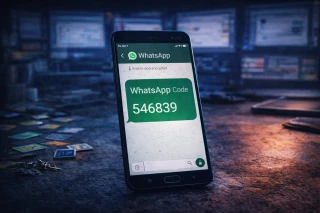
- Confirm and wait for the SMS with your verification code.

- Type in the code, and your WhatsApp registration with a Kenyan number is complete.
Common Mistakes When Entering Kenyan Numbers
- Forgetting to add +254 before the number.
- Adding unnecessary leading zeros, e.g., typing +254 07XX… instead of +254 7XX….
- Mixing landline formats with mobile ones.
These errors prevent successful verification, so double-check before confirming.
Where to Get a Kenyan Number for WhatsApp
Not everyone has a Kenyan SIM, but there are options:
- Local SIM cards: Safaricom, Airtel, and Telkom Kenya provide active numbers for WhatsApp.
- Virtual Kenyan numbers: Useful if you want to register WhatsApp without exposing your real SIM. These can be purchased via Grizzly SMS and still work for receiving SMS codes.

This flexibility makes registration on WhatsApp possible even outside Kenya.
Conclusion
For successful WhatsApp registration with a Kenyan number, the key detail is always the Kenya country code WhatsApp = +254. Enter it correctly, avoid common formatting mistakes, and your account will be activated in minutes—whether you’re in Nairobi, Mombasa, or abroad.