






Stepping Into the Chinese Web: Can You Use Baidu Without Phone Number?
You’ve heard of Baidu — the Chinese titan of search, cloud storage, and digital services. But if you’ve tried signing up, you’ve probably hit a digital roadblock:
“Enter your Chinese phone number.”
Hold up — what if you don’t have one?
No panic. You don’t need to smuggle a China Mobile SIM into your pocket. We’re here to disarm Baidu’s phone verification trap using tools that are 100% legal and lightning-fast. It starts with four words: virtual number for Baidu.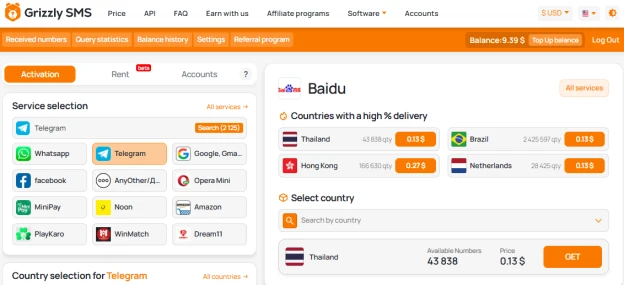
How to Use Baidu Without a Phone Number (Yes, It’s Possible)
Chinese platforms are infamous for requiring local mobile numbers, and Baidu is no exception. But it’s not because they hate foreigners — it’s about spam protection and government ID verification.
Here’s the twist: international users aren’t blocked, they’re just... discouraged. But we know a way around the gate.
The Stealth Method: Sign Up for Baidu Without Phone Number
Let’s turn you into a Baidu insider, no SIM card in sight.
Step 1: Go to Baidu's Registration Portal
Head over to passport.baidu.com. You’ll see a form demanding your phone number.
Ignore the intimidation. You’ve got a trick up your sleeve.
Step 2: Grab a Virtual Number
Open Grizzly SMS and search for Baidu in the list of platforms. Pick a number from a supported country (Thailand, Indonesia, Vietnam — choose your alias).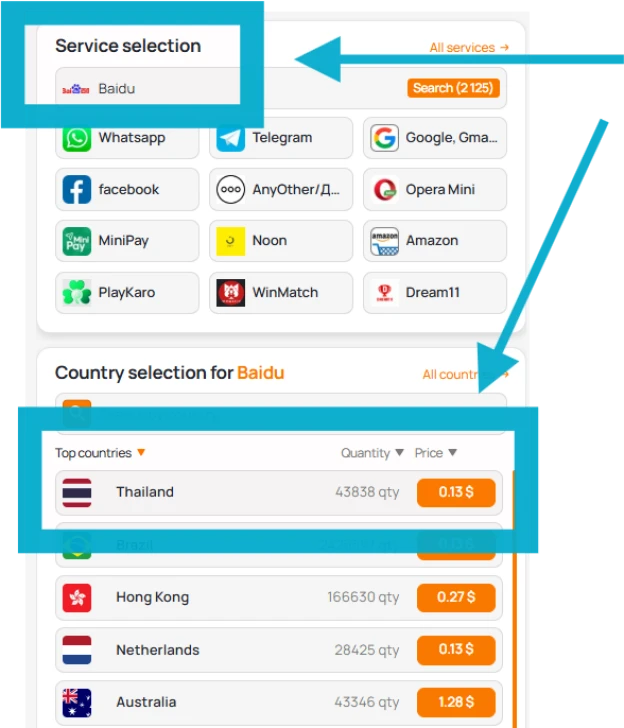
You now have a temporary number that receives SMS just like a real one.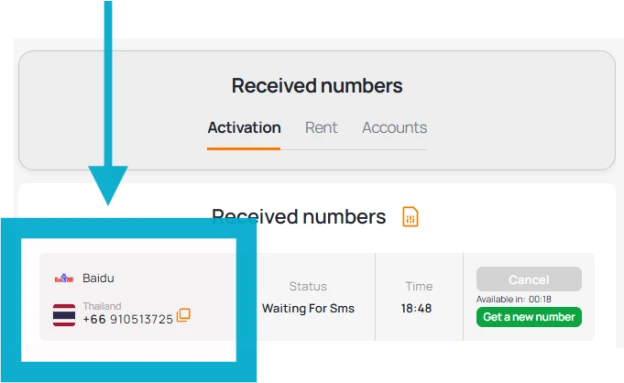
Step 3: Paste, Wait, and Boom
Back on Baidu, insert your virtual number, request the code, and check your Grizzly SMS dashboard. You’ll get a 6-digit code faster than you can say “Ni hao.”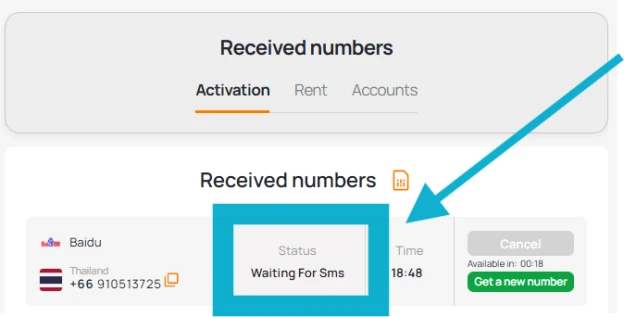
Step 4: Finalize the Account
Set up a username, password, and you’re done.
You now have a fully functioning Baidu account — without using your own number.
Why Use a Virtual Number for Baidu?
- Stay anonymous — no tying your personal SIM to Chinese services
- Create multiple accounts for business, research, or storage
- Avoid SMS delays and regional restrictions
- Outsmart Baidu’s geo-prejudice with global tech
Let’s face it: using a temporary number for Baidu is like having a VPN for your phone number — it protects your identity and expands your reach.
Advanced Trick: Bypass Baidu Phone Verification for Good
Some users worry Baidu might ask for phone reconfirmation later. Here’s how to stay safe:
- Link an email address after registration
- Don’t trigger security flags (e.g., logging in from 7 countries in 1 hour)
- Avoid shady SMS sites — Grizzly SMS numbers are fresh and clean
Final Byte: Baidu Without Phone Number — Your Passport to the Chinese Web
You don’t need to live in Beijing, own a Huawei phone, or carry a SIM with Chinese digits. All you need is strategy, a virtual number, and this guide.
So whether you're looking to download apps, use Baidu Translate, or store files in Baidu Cloud, you're now equipped to do it without ever giving up your real phone number.
Welcome to Baidu. The firewall couldn’t stop you — and now, nothing will.