





Yahoo Without Phone Number — Modern Life, Minimal Strings
We’ve all been there. You want to create a Yahoo account to sign up for a newsletter, register for a promo, or just escape the clutches of Gmail. You type your name, pick a clever email address, set a solid password... and then Yahoo hits you with: “Please enter your mobile number.”
Wait—why?
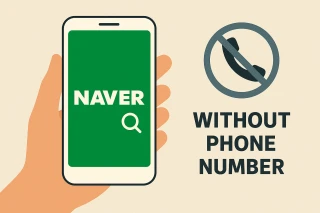
Welcome to the age of over-verification. But the truth is, Yahoo Mail without phone number isn’t just wishful thinking — it’s achievable, and surprisingly simple. You just need to play smarter, not harder.
Yahoo Account Without Phone Number — Yes, It’s a Thing (And Here’s Why It Works)
Yahoo claims it needs your number for account recovery, security, and verification. While that may sound reasonable, it also means handing over one more slice of your personal identity — just to get access to an email inbox.
But here’s the trick: Yahoo doesn’t check if the number belongs to you. It only needs to be real and capable of receiving a text. And this is where virtual numbers for Yahoo step into the spotlight.
Step-by-Step: How to Create Yahoo Mail Without Phone Number Using Grizzly SMS
Now let’s cut to the chase. Here’s how you can get a fully functional Yahoo email — minus the phone number hassle.
Step 1: Go to Grizzly SMS
Head over to grizzlysms.com. It’s a neat, no-nonsense website that offers virtual numbers for one-time SMS verification — exactly what we need for Yahoo.
Step 2: Create an Account & Load a Bit of Credit
Sign up using your email (yes, even your old one will do), and add a small balance — just enough to get a number. It usually costs less than your average coffee run.
Step 3: Select Yahoo & Choose a Country
From the list of services, select Yahoo. Then pick a country from the dropdown. This ensures the number you get is supported by Yahoo’s system and won’t throw errors during verification.
Tip: If you’re eating toast while waiting for the number to appear, you're doing the internet right.
Step 4: Enter Number on Yahoo Signup Page
Now go to Yahoo’s signup page, fill in your name, choose a unique email address, set your password, and when asked for a number — paste in the one from Grizzly. Then click “Send Code.”
Step 5: Receive and Enter the Verification Code
Switch back to your Grizzly SMS dashboard — your verification code should pop up in a few seconds. Copy, paste, continue.
Boom. Your new Yahoo account is live — and your real number remains in your pocket, untouched.
Why People Choose to Use Yahoo Mail Without Phone Number
You’re not being paranoid. There are plenty of legitimate reasons to skip the phone input:
- You're testing something and don’t want it tied to your SIM
- You’re creating a secondary email address
- You don’t trust Yahoo with your personal number (fair)
- You’ve had numbers blocked in the past
- You just value your digital privacy
You don’t need to trade your phone number for an inbox. Not in 2025.
With tools like Grizzly SMS, you can create Yahoo mail without phone number, skip the data-grab, and keep full access to what matters — your messages, your identity, your choice.
Privacy isn’t a rebellion. It’s just common sense.