





Telegram Business Without a Phone Number — The Modern Way to Register and Verify
Let’s face it — if your brand or agency is serious about communication, Telegram is impossible to ignore.
It’s fast, secure, and flexible — equally useful for building client communities, running marketing campaigns, and managing internal teams.
But there’s a catch: registering a Telegram Business account without SIM can feel tricky if you’ve never done it before. Telegram’s strict verification system is designed to keep spam away — but it also locks businesses into using personal numbers.
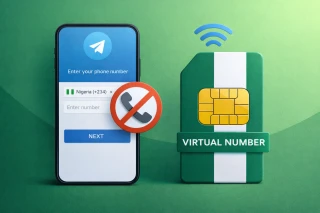
So what’s the workaround? A virtual number from Grizzly SMS. It’s the modern, simple way to register and verify Telegram for business — with zero SIM cards, full anonymity, and instant activation.
Think of it as a professional layer between your brand and your personal data.
Why Telegram Became a Core Business Tool
Here’s a simple truth — Telegram has quietly evolved from a messenger into a marketing engine.
For small businesses, agencies, and freelancers, it’s more than just chat — it’s an ecosystem of engagement tools.
Here’s why Telegram marketing accounts are now a standard tool in the digital toolbox:
- You can run multiple channels or groups under one brand.
- It’s a direct communication line — no algorithms blocking your reach.
- Built-in bots handle customer support and lead generation 24/7.
- Encrypted chats keep business communication secure.
- You can analyze engagement and scale campaigns easily.
With over 1 billion active users, Telegram isn’t “just another app.” It’s where businesses talk — and sell.
Telegram Business Verification — What You Need to Know
Telegram requires every new account to go through a short but strict verification process. Normally, that means linking a phone number, receiving a code, and confirming identity.
That’s easy for one account — but for marketing teams managing multiple brands, it becomes a logistical mess.
Using Telegram business verification through a virtual number solves this instantly:
- You get a fresh number for each account.
- It’s not linked to any personal SIM.
- You can verify accounts from any device, anywhere.
It’s the same official process, just faster and more private.
This approach is perfect for marketers, channel admins, and entrepreneurs who don’t want their real number floating around online.
How to Receive OTP Online for Telegram Business
Here’s the neat part — you can receive OTP online for Telegram business in seconds. No phone, no SIM, no carrier fees.
Grizzly SMS allows you to buy a temporary number, use it once for verification, and get your one-time password (OTP) directly through your dashboard.
That means:
- No juggling multiple phones.
- No risk of account cross-linking.
- No waiting for delayed SMS.
It’s quick, automated, and reliable — perfect for setting up multiple Telegram marketing profiles at scale.
If you’re an agency managing different brands or running Telegram bots for clients, this method keeps everything clean, organized, and anonymous.
How to Create Telegram Channel Without Phone Number
Before we move on, here’s the good news — you don’t need a SIM card to launch a Telegram channel.
Let’s break it down step by step.
- Go to Grizzly SMS and create an account.

- Add balance — payments are fast and support cards, crypto, and e-wallets.

- Choose Telegram from the service list.
- Select the country that fits your audience (for example, US, UK, or India).

- Copy the provided virtual number.

- Paste it in the Telegram registration window.
- Wait for your OTP to appear in your Grizzly dashboard — usually within seconds.

- Enter the code in Telegram, and you’re in.
No SIM swaps, no lost codes, no blocked registrations — just a clean, verified Telegram Business setup.
Why Businesses Use Virtual Numbers for Telegram
Let’s be honest — juggling multiple SIM cards feels like something from 2010.
Modern companies automate everything — so why not account setup too?
Here’s why smart teams now rely on Grizzly SMS virtual numbers:
- Instant activation — receive verification codes in real time.
- Complete privacy — your real phone number stays hidden.
- Global flexibility — pick numbers from over 150 countries.
- No extra hardware — everything happens in your browser.
- Pay only for what you use — no contracts or recurring fees.
- Perfect for teams — easy to manage multiple accounts at once.
- Clean and simple interface — no tech skills required.
With Grizzly SMS, you can safely create and verify Telegram marketing accounts without any personal exposure — ideal for agencies, small businesses, or creators who manage multiple online brands.
A Smarter Way to Work With Telegram
When you combine Telegram’s reach with Grizzly SMS’s convenience, you get the best of both worlds — a secure, scalable, and private communication system.
You can:
- Test new campaigns without linking your main number.
- Register local accounts for regional audiences.
- Keep your personal identity completely separate from business activity.
- Create backup or secondary accounts for growth experiments.
And the best part? It all takes less time than making a cup of coffee.
If you’ve ever thought managing Telegram accounts had to be complicated — it doesn’t.
With Grizzly SMS, you can launch verified business accounts in minutes, keep your identity safe, and run your marketing smarter, not harder.